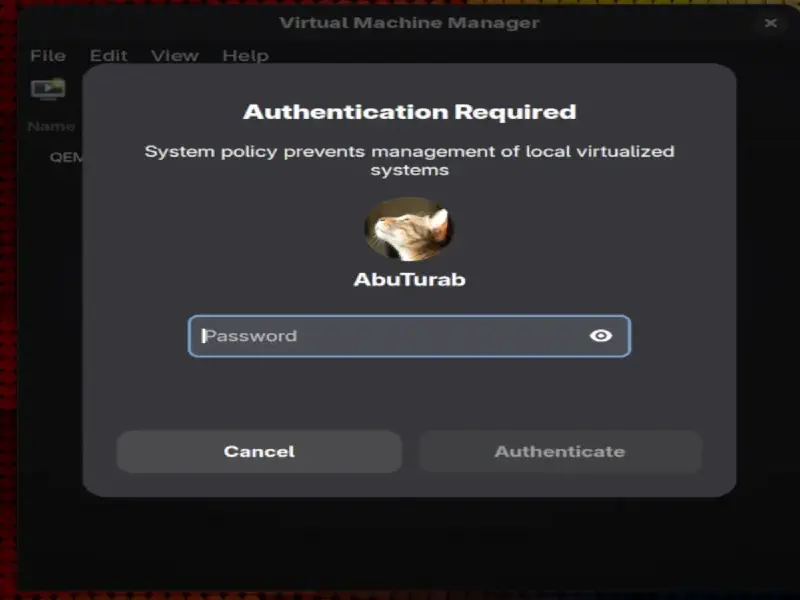
The virt-manager on all almost every Linux distro, asks for password when it’s opened from the apps’ menu. It’s happens because libvirt runs as a root, and we need to be either root or get elevated privileges to access virtual machine managed via libvirt/KVM.
Adding $USER to libvirt Group
To fix this, make a libvirt group and add yourself to it.
|
|
sudoRuns the command as rootusermodSystem Utility to modify system account files-a/--appendAppend user to supplementary group(s), used only with-G-G/--groupsWhen used with-a, it appends user to the supplementary grouplibvirtThe name of the group being added$USERAn environment variable expands to a logged-in username
Logout and log back in:
Run the following command in the terminal:
|
|
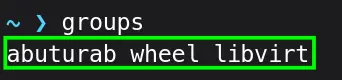
You can see the newly created libvirt group:
Removing $USER from libvirt Group
To remove yourself from the libvirt group:
|
|
gpasswdSystem utility to manage groups and their passwords-d/--deleteRemove the user from the named group
Info
These commands are available on almost every Linux distro, but I have tested them only on Fedora Workstation.