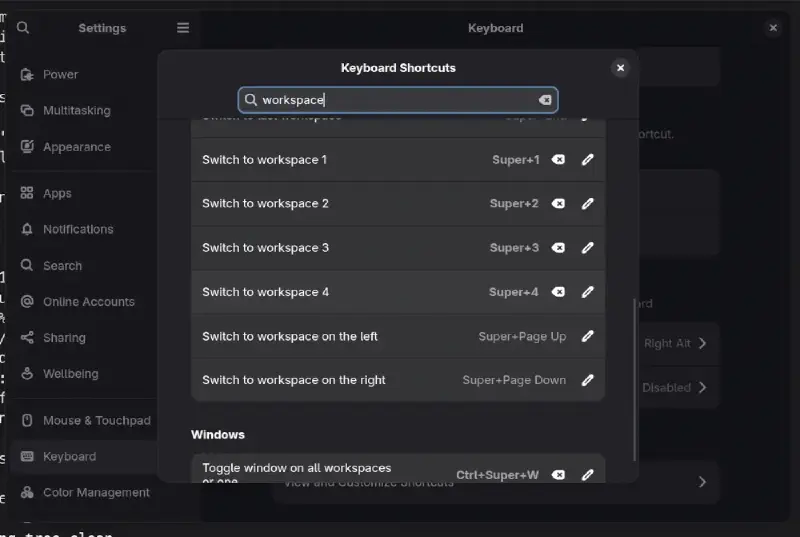
From GNOME settings GUI, you can only add keyboard shortcuts for up to 4 workspaces.
If your workflow depends on more than 4 workspaces, you cannot add them via gnome-control-center aka GNOME Settings GUI.
There are two methods to add shortcuts for up-to 12 workspaces.
dconf Editor
Open the dconf Editor, accept the risk associated with changing default settings via dconf Editor
Then navigate to: > > > >
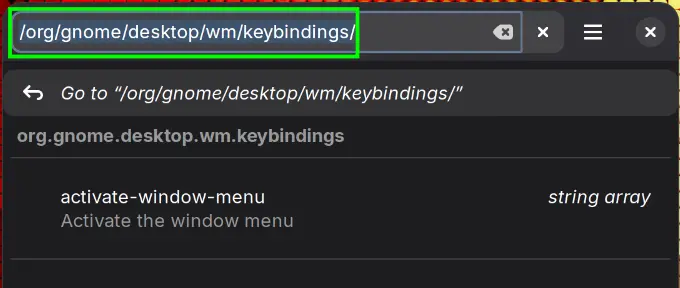
Or click on search 🔎 icon, and put this in the search bar:
/org/gnome/desktop/wm/keybindings/
-
Click on
switch-to-workspace-5(not available viagnome-control-center) -
Turn off
Use default value -
Add your
Custom valuefor key binding, i.e. Super + 5
['<Super><Shift>5']
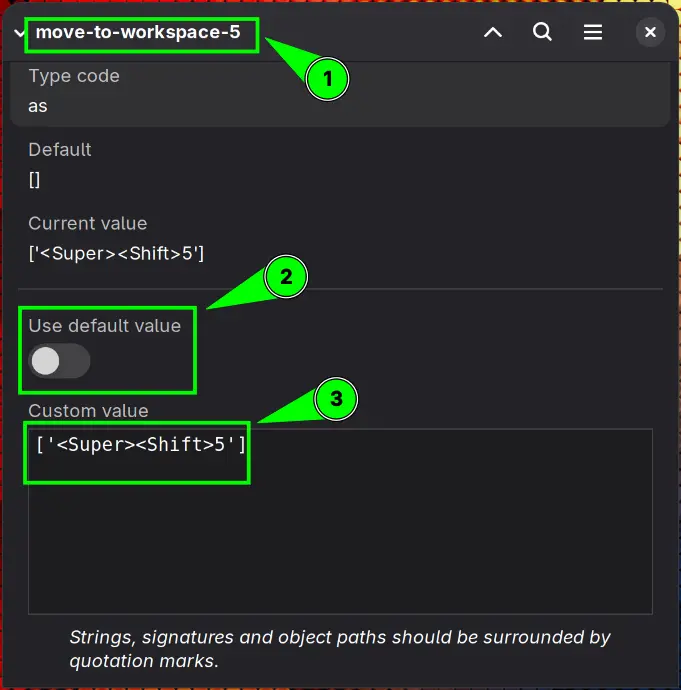
Then go back to /org/gnome/desktop/wm/keybindings/ and click on move-to-workspace-5.
Using the previous steps, add this shortcut Super + Shift + 5 (To move focused app to workspace-5) to Custom value field.
['<Super><Shift>5']
Terminal: Using gsettings (Recommended)
The more direct and easy method is using gsettings via terminal. This command is available on GNOME desktop by default.
- To assign a shortcut to switch to workspace#6 (Just an example you select any number up-to 12)
|
|
Then you can use Super +6 to switch to workspace#6.
- If you also want a shortcut to send apps to workspace#6, run in the terminal
gsettings set org.gnome.desktop.wm.keybindings move-to-workspace-6 "['<Super><Shift>6']"
Now you can use Super + Shift + 6 key binding to move a focused app to workspace#6.
Repeat the same process for assigning shortcuts to more workspaces by substituting workspace numbers.