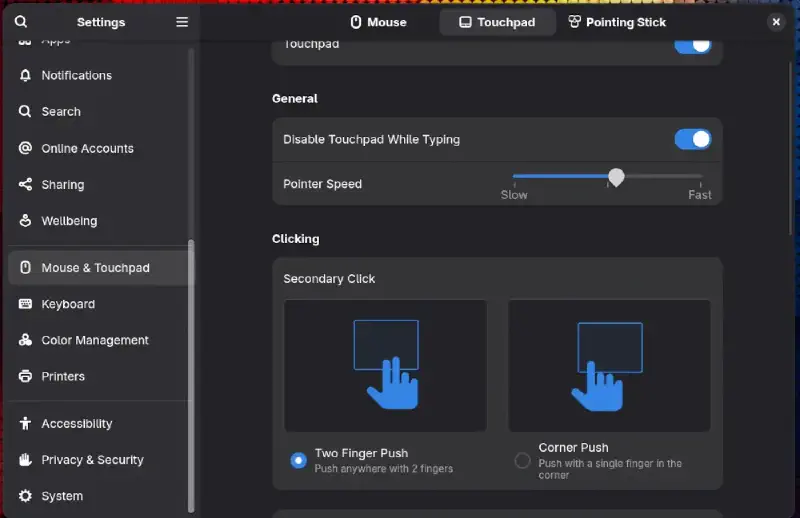
There is a bug affecting Fedora and Archlinux systems, where system cursor gets frozen in a place when your PC wakes up from the sleep.
I have tested this fix on my ThinkPad only, both on Archlinux and Fedora.
Archlinux
To regain the control of your cursor, it’s quite easy, you need to reload the psmouse module.
From the Terminal, run this:
sudo modprobe -r psmouse
It will remove the psmouse Kernel module.
Then, to reload the module:
sudo modprobe psmouse
Voilà, your cursor is back.
modprobeAdd or remove Kernel modules-r/--removeRemoves the specified Kernel modulepsmouseGeneral Kernel module for Touchpads and Mouse.
Fedora
When you run the command:
sudo modprobe -r psmouse
It spits the following error:

To regain control of a cursor on Fedora, you need the exact driver name of your Mouse/Touchpad.
First, to find out the name of your Touchpad/Mouse name:
cat /proc/bus/input/devices
Look for your Mouse/Touchpad name
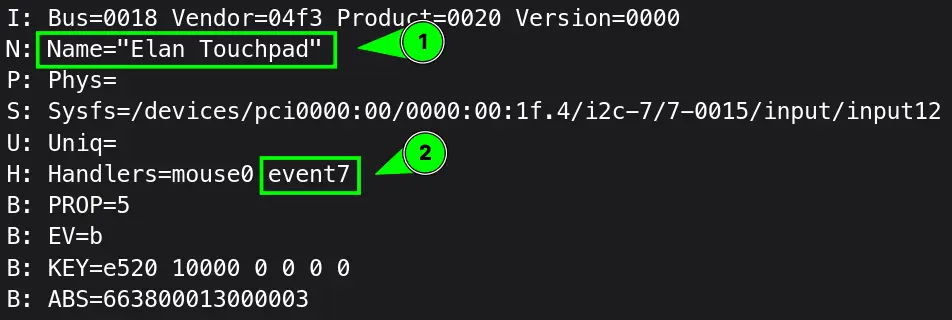
Note the event_id, then run following command replacing <event_id> with your handlers ID.
readlink /sys/class/input/<event_id>/device/device/driver
Note the driver name, in my case it was elan_i2c:

Now, to remove the Kernel module of touchpad/mouse:
sudo modprobe -r elan_i2c #replace with your own driver module name
Then, reload the driver:
sudo modprobe elan_i2c #replace with your own driver module name
Voilà, your cursor is unfrozen on Fedora too.